VPN - secure, fast VPN
- 4.0
- Rating
- 10.00M
- Installs
- Free
- Price

 Analysis by App-foxy
I spend a lot of time switching between home Wi-Fi, mobile data, public hotspots, and networks that seem to work until I need them. That is where a VPN becomes useful: not as a magic fix for a weak connection, but as a privacy and routing tool that changes how my phone reaches the internet. VPN - secure, fast VPN, developed by Stolitomson VPN, is a free communication app for Android that keeps that purpose simple.
After using it, my overall impression is that it is aimed at people who want a straightforward way to start a VPN connection without learning much about networking. The app has a 4.0 average from around 142 thousand ratings and has passed 10 million installs, so it is clearly not an obscure experiment. At the same time, I would not treat popularity as proof that it is the best choice for every situation. Its value depends heavily on the network I am using, how much control I expect, and whether I am comfortable with the limitations that can come with a simple free VPN.
How the connection changes everyday phone use
The first thing I noticed is that a VPN is most noticeable when the network itself is not one I fully trust. In a café, hotel, airport, library, or shared apartment, I would rather avoid sending ordinary traffic directly across a connection used by many unknown devices. Starting a VPN before opening email, signing into an account, or checking a private message gives me an extra layer between the phone and the local network.
You May Also Like

 Blood Strike: 2.5 Anniversary
Blood Strike’s Loadouts Turn Every Drop Into a Tactical Gamble
A close look at Blood Strike’s custom loadouts: how fast access to signature weapons reshapes its battle royale rhythm, rewards preparation, and narrows the gap between fights.

 Pandora - Music & Podcasts
Pandora’s Music Is Easy to Start, but Harder to Recover
Pandora’s strength is its low-effort path from a seed to a station. Its weak spot is how much confidence it asks you to place in connection, setup, and quiet recovery.

 8 Ball Pool
 Is Built on Rivalries, Rematches, and Routine
A close look at the rivalries, rematches, shared routines, and unanswered safety questions that turn a quick pool match into a persistent mobile community.

 Samsung Music
’s Quiet Strength Is Playing What You Already Own
Its reach comes less from spectacle than from dependable access to a personal library. That simplicity is both the app’s strongest retention engine and its ceiling.

 AccuWeather: Weather Radar
AccuWeather Review: A Quick, Clear Forecast for Everyday Decisions
For everyday plans, the best forecast is the one you can understand quickly. AccuWeather makes rain timing, radar, and local conditions easy to act on, with a few trade-offs.

 Hill Climb Racing
Why Hill Climb Racing Still Turns Crashes Into One More Run
A tiny car, a bumpy hill and one more upgrade: Hill Climb Racing keeps resurfacing because its simple chaos makes every near-miss feel personal.
More From Our News Desk



That does not mean the app makes every connection safe in every possible sense. A VPN cannot protect me from entering a password on a fake website, downloading a malicious file, or giving information to an untrustworthy service. It also cannot turn an overloaded hotspot into a fast one. What it can do is create a private tunnel for network traffic, which is the part that matters most when I am connected somewhere unfamiliar.
On a reliable home connection, the benefit feels less dramatic. I might still use it when I want my traffic routed through a VPN, but I do not expect a speed improvement simply because the app is active. In practice, the route through a VPN server can be longer than the direct route, and the result can vary with distance, congestion, and the quality of the underlying internet service. This is why I judge the app by consistency and convenience rather than by the word “fast” alone.
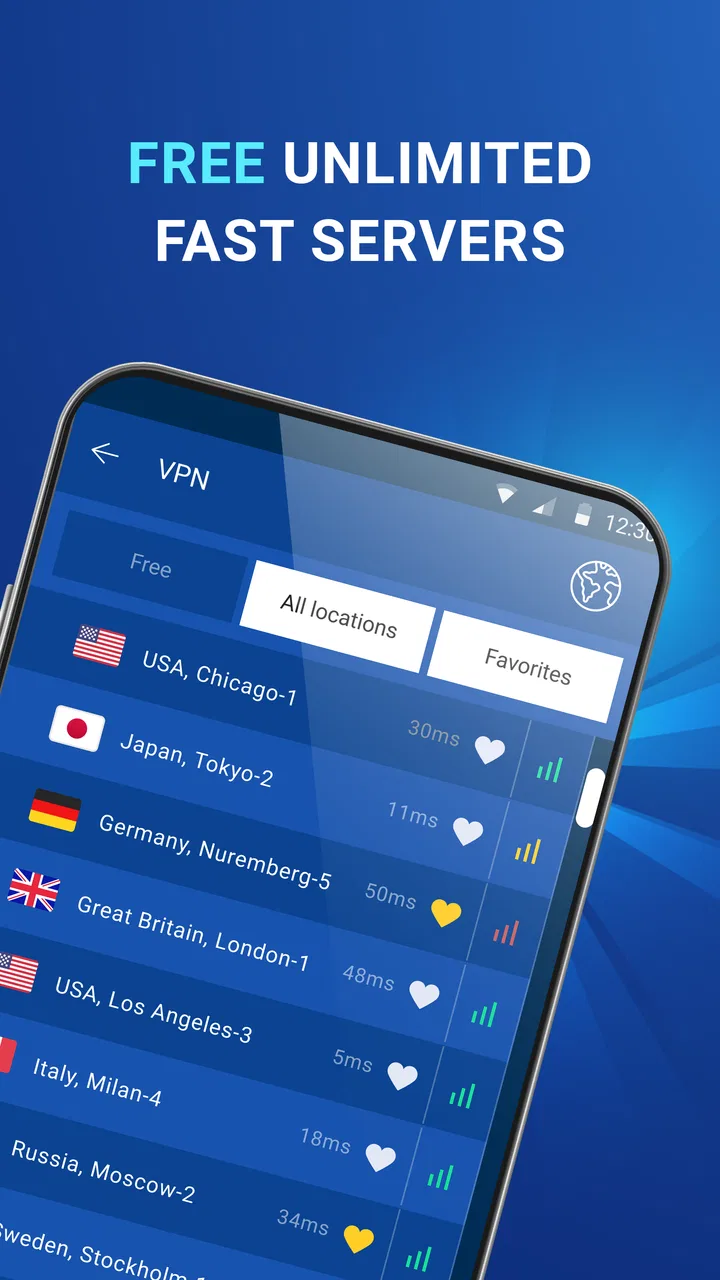
For ordinary browsing, messaging, and account checks, the experience is easy to understand. I connect when I want the VPN active, use my phone normally, and disconnect when I no longer need it. That simplicity is a real advantage for someone who does not want a screen full of technical settings. It is also the main trade-off: users who want detailed server selection, protocol controls, diagnostics, or fine-grained routing may find the experience too limited.
What I do before using a public hotspot
My preferred workflow is to open the app before joining a public network, rather than remembering to activate it after I have already started browsing. I then wait for the connection state to change before opening sensitive apps. This small habit is more useful than leaving the VPN installed and assuming it is always protecting the phone.
I also avoid treating a VPN connection as a reason to ignore normal security habits. I still use strong, unique passwords, keep Android updated, and check the address of a website before signing in. The app is best understood as one part of a safer connection routine, not as a replacement for careful online behavior.
One practical detail is that a VPN can affect services that rely on location, local network access, or unusual login checks. If a banking app, shopping service, workplace tool, or streaming app behaves strangely, I first disconnect temporarily and try again. That does not mean the VPN is defective; it means some services prefer a direct or familiar network path. Knowing this saves time and prevents me from repeatedly reinstalling or resetting an app that is working as designed.
Moving between Wi-Fi and mobile data
Mobile use is where the app makes the most sense to me. My phone may move from a home router to a train station hotspot, then back to cellular data without any obvious warning. A VPN can remain useful across those changes, but I do not assume that every transition will be seamless. If the network changes while I am downloading something, making a call through an internet service, or opening a secure session, I check whether the VPN is still connected before continuing.
For people who travel, the app can be convenient because it puts the connection control in one familiar place. I can decide whether to use it on a hotel network instead of searching through Android settings every time. The free price makes trying that workflow low-risk, although the app also offers in-app purchases ranging from $2.99 to $10.99 per item. I would only pay after deciding that the basic experience fits my routine and that any paid option solves a problem I actually have.
There is a subtle cost to using a VPN on mobile data: the traffic still comes from my cellular allowance, and the VPN does not reduce the amount of data that websites, video services, or social apps consume. Encryption and routing can also add a little overhead. I therefore use it for privacy-sensitive browsing and unfamiliar networks, rather than assuming I should leave it active for every second of the day on a limited plan.
A useful test is to compare the same ordinary task with the VPN connected and disconnected while I am on a stable network. I do not need laboratory measurements to notice whether pages load reliably, messages arrive normally, or an app repeatedly asks me to sign in. If the VPN causes a service I depend on to fail, I would rather understand that trade-off than keep it enabled automatically and blame the service.
When the connection fails
No VPN app can remove every failure caused by the underlying network. If the hotspot requires a sign-in page, I may need to complete that page before the VPN can work properly. If the Wi-Fi itself has no internet access, connecting to a VPN server cannot create internet access from nothing. These are easy situations to misread, especially when the app appears to be trying to connect while the network is still waiting for authentication.
My recovery routine is deliberately simple. I check that the phone can open a normal webpage without the VPN, close and reopen the connection, and switch briefly between Wi-Fi and mobile data if both are available. If the problem appears only on one network, I treat that as a network-specific issue rather than immediately concluding that the app has stopped working everywhere.
Another useful habit is to disconnect before changing networks manually, then reconnect after the phone has settled on the new connection. Android often handles transitions well, but active sessions can still become stale. This is particularly relevant when moving out of range of a router or when a public hotspot drops the connection for a moment. Reconnecting is usually more productive than repeatedly tapping the button while the original network state is still changing.
I also pay attention to battery and heat during long sessions. A VPN has to keep a network process active, and any app that maintains a connection can add work for the phone. I would not use it continuously during a long, unnecessary download on an older device just because it is available. For short browsing sessions, the convenience outweighs that concern; for extended use, I keep an eye on the phone rather than assuming the impact is invisible.
When a website or app refuses to load, I try the least disruptive fix first: disconnect, complete the service’s normal login or hotspot process, and reconnect only if needed. This is especially useful for local services that expect a nearby network. It also helps separate a VPN routing issue from a genuine outage, which is a distinction a simple interface may not explain in detail.
Using it without wasting mobile data
I would recommend setting a purpose for the VPN instead of using it out of habit. For example, I might activate it while checking work email on a shared network, then turn it off before watching a large video over cellular data. The VPN does not make video consumption cheaper, and it cannot compensate for a weak signal. A data-conscious routine keeps the privacy benefit where it matters without making every connection harder to troubleshoot.
It is also worth remembering that the app’s “unlimited” positioning should not be confused with unlimited mobile data or unlimited performance. My phone plan, the Wi-Fi provider, the destination service, and the VPN route all remain separate parts of the experience. If any one of them is slow, the app cannot guarantee a smooth result. I see the practical benefit as freedom from a small set of artificial usage restrictions, not a promise that every network task will be equally quick.
For messaging and light browsing, the data difference may not change my routine much. For large downloads, cloud backups, app updates, and high-resolution video, I become more selective. I also avoid starting a demanding task immediately after connecting to a busy public hotspot. A VPN can protect the route, but it cannot improve the hotspot’s capacity or make a crowded network behave like a private broadband connection.
One non-obvious trade-off is that privacy and convenience do not always point in the same direction. A service may use a familiar IP location to recognize me, while the VPN makes that location appear different. That can trigger extra verification or make local features less accurate. When I need a service to identify my usual location, I use the direct connection; when I am prioritizing privacy on an unfamiliar network, I accept that some convenience may disappear.
Who will appreciate this app
I think this app suits Android users who want a low-friction VPN for occasional public Wi-Fi, travel, everyday browsing, and basic privacy protection. It is also approachable for someone who has never configured a VPN manually. The app is free to download, carries an Everyone content rating, and supports devices running Android 7.0 or later, which makes it accessible to many older phones as well as newer ones.
The current version is 2.0.12, and the overall presentation is best suited to people who value a direct start-and-stop experience. If my priority were simply to protect a connection before opening personal accounts on a shared network, I would find that focus appealing. I would not need to understand server architecture before getting started.
I would be more cautious if I needed a VPN for professional administration, advanced privacy research, strict location control, or a highly transparent technical setup. In those cases, a paid service with clearly documented policies, extensive configuration, and stronger diagnostic tools may be a better fit. I would also look elsewhere if I wanted detailed controls over which apps use the VPN and which bypass it, unless those controls were clearly available in the version I was using.
Users who mainly want to unblock every location-restricted service should also keep their expectations realistic. A VPN connection can change the apparent route, but individual websites and apps decide how they handle VPN traffic. Some may block it, ask for additional verification, or provide a different experience. I would choose this app for connection privacy and convenience first, not as a guaranteed key for every restricted platform.
How it compares with ordinary alternatives
The usual alternative is not another VPN; it is using the network directly. Direct access is often simpler and may be faster, but it gives me less separation from the local network. For a trusted home connection and low-risk browsing, that simplicity can be perfectly reasonable. For a public hotspot, I prefer having the additional VPN layer even if it introduces a little friction.
Another alternative is configuring Android’s built-in VPN settings manually. That route can offer more control, but it requires a compatible service, account details, and a willingness to manage settings outside a single app. VPN - secure, fast VPN is more convenient for casual use because it gathers the basic action in one place. The compromise is that the app is less attractive to someone who wants to inspect and tune every part of the connection.
Compared with a subscription-focused VPN, this app’s free entry point is its clearest advantage. I can try it without committing money, then decide whether the connection behavior fits my phone and networks. A paid competitor may be preferable for users who want a broader toolset, more predictable support, or a service selected specifically for demanding travel and work requirements. The right comparison is therefore not simply “free versus paid”; it is “simple occasional protection versus a more controlled long-term VPN service.”
I also would not compare it with a password manager, antivirus app, or encrypted messaging service as though they performed the same job. Those tools address different risks. This app focuses on the network path, while account security, device protection, and message encryption still depend on the services and habits I use alongside it.
My connectivity verdict
After looking at the way it behaves across home Wi-Fi, public networks, and mobile data, I see VPN - secure, fast VPN as a practical starting point rather than a complete privacy strategy. Its strongest quality is the low barrier to trying a VPN on an Android phone. The free model, familiar communication-app category, and straightforward purpose make it easy to test during a café visit, a hotel stay, or a short trip.
My main reservation is the same feature that makes it approachable: simplicity can leave advanced users wanting more control and clearer troubleshooting. I also would not expect it to repair poor connectivity, reduce data consumption, or guarantee access to every online service. Those are important boundaries, especially for anyone choosing a VPN because of the word “fast.”
For me, the best use is selective. I connect before using a sensitive account on an unfamiliar network, check the connection after Wi-Fi changes, and disconnect when a local service needs a normal route. That workflow keeps the app useful without pretending that every task benefits from a VPN.
My recommendation is conditional but positive: try it if you want an uncomplicated Android VPN for everyday network privacy and are willing to handle occasional service conflicts yourself. Skip it in favor of a more configurable alternative if you need advanced routing, detailed technical visibility, or a carefully documented long-term privacy service. For a casual user who wants one accessible tool between their phone and an untrusted hotspot, it is a sensible option to explore.
FAQs for VPN - secure, fast VPN
01What is a VPN and why should I use this app?
A VPN, or Virtual Private Network, encrypts your internet connection to enhance online privacy and security. This app offers fast and secure VPN services, making it ideal for protecting your data from hackers, accessing geo-restricted content, and ensuring anonymity while browsing the internet.
02How does this VPN app ensure my online security?
This VPN app uses advanced encryption protocols to secure your internet connection, making it difficult for hackers or third parties to access your data. Additionally, it offers features such as a no-logs policy and automatic kill switch, further ensuring your privacy and security while online.
03Will using this VPN app slow down my internet speed?
While using a VPN can sometimes affect internet speed due to encryption processes, this app is designed to minimize speed loss by offering fast servers and optimized connections. Users typically experience minimal reduction in speed, allowing for smooth browsing and streaming experiences.
04Is this VPN app compatible with all my devices?
Yes, this VPN app is compatible with a wide range of devices, including Android and iOS smartphones, tablets, and other internet-enabled devices. It offers easy-to-use apps for different platforms, ensuring seamless integration and protection across all your devices.
05Are there any limitations on the free version of this VPN app?
The free version of this VPN app may come with limitations such as restricted server access, lower speeds, or limited data usage. For unrestricted access and optimal performance, users may consider upgrading to the premium version, which offers enhanced features and benefits.
Pros
- High-speed connections for seamless browsing.
- User-friendly interface
- easy to navigate.
- Supports multiple devices with one account.
- Strong encryption ensures data safety.
- Wide range of server locations worldwide.
Cons
- Limited features on the free version.
- Occasional connection drops reported.
- Some servers may slow down at peak times.
- Not all streaming services are accessible.
- Customer support response can be slow.

VPN - secure, fast VPN
Gallery